
How to Set Up Your Autel MaxiSYS MS906 Pro: Complete First-Time Setup Guide
Whether you've just received your brand-new Autel MaxiSYS MS906 Pro or are preparing to use it for the first time, proper setup is essential.
Many new users are eager to connect the scanner to a vehicle immediately. However, spending just a few minutes completing the initial setup can improve performance, ensure you receive the latest vehicle coverage, and help avoid unnecessary issues later.
In this guide, we'll walk you through every important step—from charging the tablet and connecting to WiFi to registering your device and installing software updates.
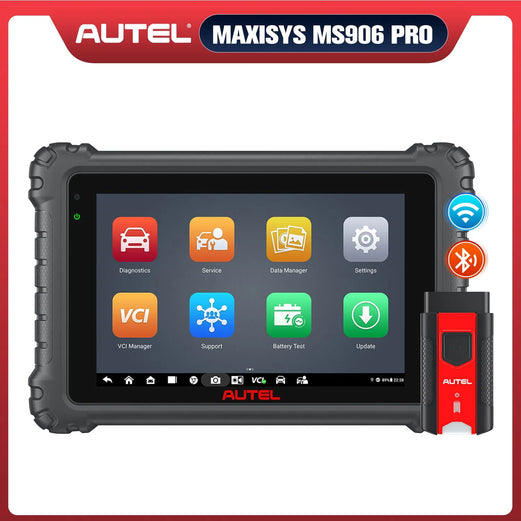
Autel MaxiSYS MS906 Pro
A professional diagnostic scanner designed for workshops and technicians, offering advanced vehicle diagnostics, ECU communication, and comprehensive service functions.
View ProductWhy Initial Setup Matters
The MS906 Pro is much more than a traditional OBD2 scanner.
It receives:
🚗 New vehicle coverage
🛠 Bug fixes
⚙️ System improvements
🔗 ECU communication enhancements
📡 VCI firmware updates
Skipping the setup process may result in outdated diagnostic software or reduced compatibility with newer vehicles.
What's Included in the Box?
Inside the carrying case, you'll typically find:
📱 Autel MaxiSYS MS906 Pro tablet
🔗 VCI 200 Bluetooth interface
🔌 Power adapter
⚡ Charging cable
🧰 Carrying case
📄 User documentation
Before connecting to any vehicle, verify that all accessories are included.
Autel MS906 Pro First-Time Setup Guide
Step 1: Manage the Battery Properly
Your scanner usually arrives partially charged, allowing you to begin setup immediately.
To maximize battery lifespan:
- ✔ Allow the battery to discharge naturally before the first recharge.
- ✔ Avoid leaving the tablet plugged in continuously.
- ✔ Charge the device when needed rather than keeping it connected 24/7.
These simple habits can help extend long-term battery performance.
Step 2: Connect the MS906 Pro to WiFi
Internet access is required for registration and software downloads.
On the tablet:
Settings → System Settings → WiFi
Follow these steps:
- Turn on WiFi.
- Select your wireless network.
- Enter your password.
- Confirm the connection.
A stable WiFi connection is recommended because software packages can be several gigabytes in size.
Step 3: Register Your Autel Scanner
Before using all diagnostic features, register your device.
You can register:
- Directly on the tablet
- Through Autel website: https://pro.autel.com/
New users should:
- Create an Autel account.
- Verify your email address.
- Set a password.
- Register the scanner using its serial number.
Registration links the scanner to your Autel account and allows access to software updates.
Step 4: Install All Available Updates
This is one of the most important parts of the setup process.
Open:
Update
Install updates in the following order:
-
System Updates
Always install available system updates first. -
Vehicle Software
Download the manufacturers you service most often.
For example:
Ford GM Toyota BMW Mercedes-Benz
Downloading only the brands you need initially can help save time and storage space.
Step 5: Update the VCI Firmware
After updating the tablet:
- Power on the VCI 200.
- Pair it with the tablet.
- Check for available firmware updates.
If a firmware update is available:
- Start the update.
- Do not disconnect the VCI.
- Do not leave the update screen until the process is complete.
Interrupting the update could cause communication issues.
Common Mistakes New Users Make
Avoid these common setup mistakes:
❌ Using the scanner before updating software
❌ Skipping registration
❌ Ignoring VCI firmware updates
❌ Leaving the tablet constantly connected to power
❌ Connecting to unstable WiFi during downloads
Frequently Asked Questions
Do I need to register my Autel MS906 Pro?
Yes. Registering your MS906 Pro links the device to your Autel account and allows access to software updates.
How often should I update the scanner?
Check for available updates regularly, especially before diagnosing newer vehicle models.
Why is the VCI update important?
Keeping the VCI firmware updated helps maintain proper communication between the tablet and vehicle.
Do I need to download every vehicle brand?
No. You can install the manufacturers you work on most often and download additional brands later if needed.
Final Thoughts
Setting up your Autel MaxiSYS MS906 Pro correctly only takes a few minutes, but it lays the foundation for reliable diagnostics and the latest vehicle coverage. By connecting to WiFi, registering your device, installing software updates, and keeping the VCI firmware current, you'll be ready to get the most out of your scanner from day one.
Whether you're a professional technician or a serious DIY enthusiast, following these steps will help ensure your MS906 Pro performs at its best.
